
Appearance
Archiving data files
If your Flow system is configured to work with files of any sort then it will be storing a local copy of these files as it processes them. These will be stored in an AUDIT or ERROR folder depending on the status of processing the file.
Every year you should review the local folders where Flow is storing files and archive these files. If you have a network backup then it is possible that it is already performing this task for you. You should contact your system administrator and confirm with them whether a network backup is in place to achieve this.
Manually archiving files
Open the Flow Designer
Navigate to
File ConnectionsgroupSingle click the first File Connection in the group
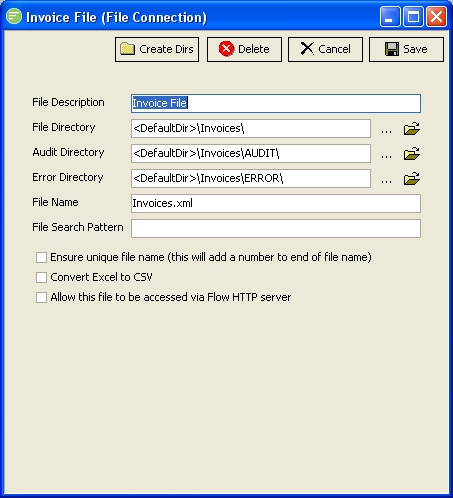
Click the

button next to
Audit Directoryto open the folder in Windows ExplorerSelect and zip any files that are older than one month. Delete the files that you zipped.
Send the zip to your network administrator to be stored in a backup system.
Repeat from step 3 for each File Connection in the group.