

Appearance
EDI File
When selecting an EDI File type, a number of fields become available on the main screen that need populating.
An EDI File type File Definition can be used to interact with any EDI File that is based on UN\EDIFACT or ANSI X12. This includes such standards as EANCOM.
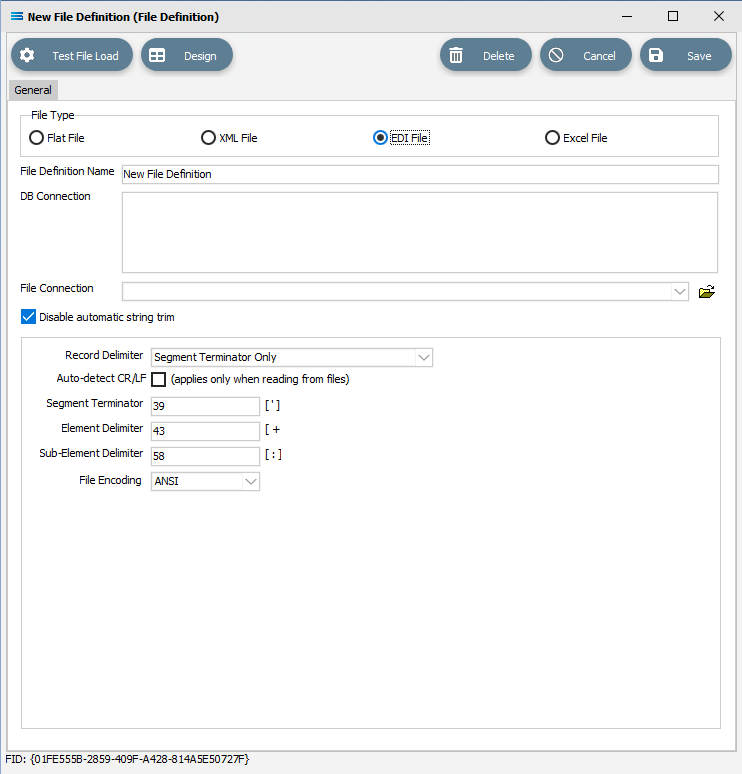
Type Specific Fields
| Field Name | Description |
|---|---|
| Record Delimiter | Select the method for terminating each record in the EDI File. |
| Auto-detect CR/LF | Only used when reading from a source file. Automatically checks the source file for Windows-style or Unix-style delimiters (line breaks). This might override the Record Delimiter setting on this definition if a different style delimiter is found. |
| Segment Terminator | Specify the ASCII character to use as the segment terminator. Enter the ASCII character code. |
| Element Delimiter | Specify the ASCII character to use as the element delimiter. Enter the ASCII character code. |
| Sub-Element Delimiter | Specify the ASCII character to use as the sub-element delimiter. Enter the ASCII character code. |
| File Encoding | Specify the type of encoding. |