

Appearance
Proxy Settings Tab - General Setup
Default Proxy Setting options that apply to the configuration as a whole, that will be used unless overridden.
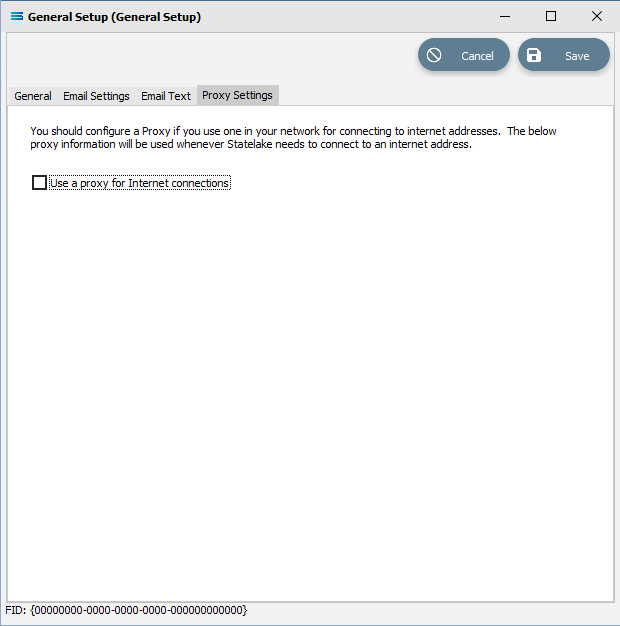
Fields
| Field Name | Description |
|---|---|
| Use a proxy for Internet connections | Select to enable a default proxy server for all HTTP and SOAP internet connections made by Statelake. |
When the proxy button is ticked, the following becomes visible.
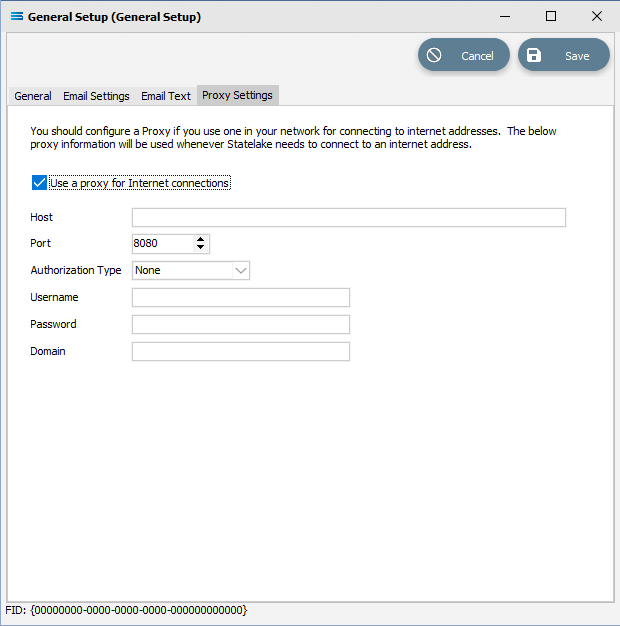
Fields
| Field Name | Description |
|---|---|
| Host | The computer name or IP address of the proxy server, |
| Port | The port that the proxy server is listening on. By default, most proxy servers listen on port 8080. |
| Authorization Type | The authorization method to use when connecting to the remote HTTP or SOAP service. |
| Username | The user name to authenticate to the proxy server. This can be left blank. |
| Password | A password for the above user. |
| Domain | The domain that the user belongs to. This can be left blank |