

Appearance
Auth Tab - HTTP or HTTP/S (inbound)
Options to be completed.
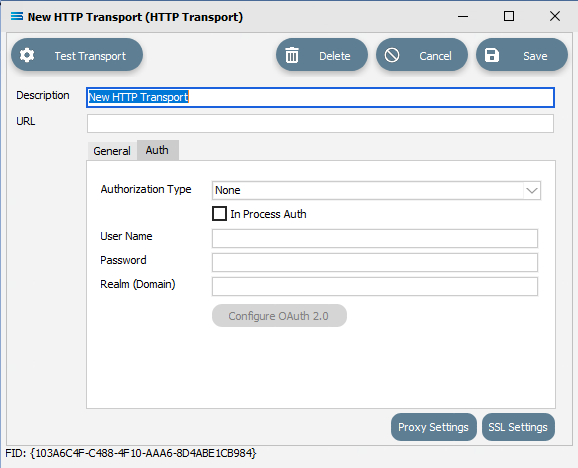
Fields
| Field Name | Description |
|---|---|
| Authorization Type | The authorization method to use when connecting to the remote HTTP server or service. |
| In Process Auth | A tick box. Whether authorization occurs during the process of communication, or is sent in an initial request. |
| User Name | A user name to connect to the remote HTTP service or server. |
| Password | A password for the above user. |
| Realm (Domain) | The domain that the user belongs to. This can be left blank. |
Buttons
| Field Name | Description |
|---|---|
| Configure OAuth 2.0 | This button will only be active if OAuth 2.0 is chosen as the Authorization Type. For information regarding this button, please refer to Configure OAuth 2.0 (Email Settings). |