

Appearance
General Tab - HTTP or HTTP/S (outbound)
General options to be completed.
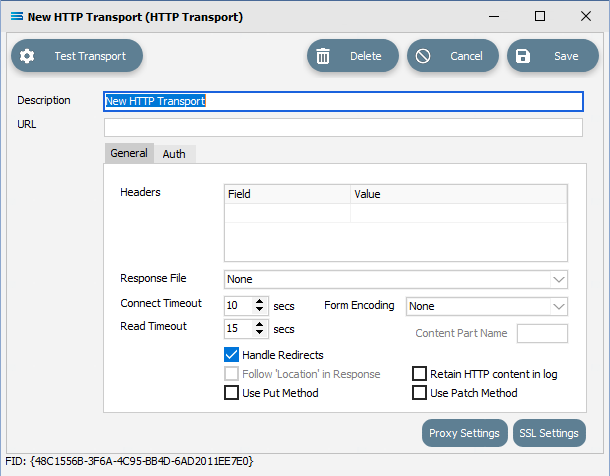
Fields
| Field Name | Description |
|---|---|
| Headers - Field/Value | A list of fields to include in the multipart form as below. If Use Multipart Form is not ticked and enabled, these fields will be sent as HTTP Header values. |
| Response File | Select the File Connection that is to receive the response file. |
| Connect Timeout | Time out period on the HTTP connection, in seconds. |
| Read Timeout | Time out period for reading from the HTTP server, in seconds. |
| Form Encoding | Select an option from the drop-down list. |
| Content Part Name | Only active if a Form Encoding method has been selected, as above. |
| Handle Redirects | This is ticked by default. |
| Follow “Location” in Response | This is only available once a Response File has been selected, as above. |
| Use Put Method | Select to use a Put request, otherwise request is sent as Post. |
| Retain HTTP content In log | |
| Use Patch Method | Tick to use the Patch method of HTTP call. |