
Appearance
Notification Tab
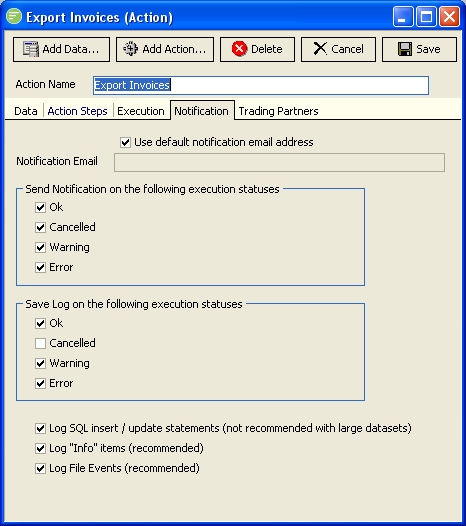
Fields
| Field Name | Description |
|---|---|
| Use default notification email address | If selected notifications will be sent to the default notification address configured within General Setup, otherwise you can enter them in Notification Email field |
| Notification Email | Enter a comma separated list of email addresses for sending notifications to |
| Send notification on the following execution statuses | Select the statuses upon which you wish to send a notification email. Refer to the Operation Guide for information on notification emails. |
| Save Log on the following execution statuses | Select the statuses upon which you wish to save the Log. |
| Log SQL statements | Select to include SQL statements in the Log. This will record every SQL statement executed during the execution of the Action. You should only deselect this option if processing huge datasets (ie millions of records). |
| Log Info Items | Select to include Info lines in the Log. If deselected this will reduce the Log size by only having necessary warning and error messages. This is recommended and should only be deselected in exceptional circumstances. |
| Log File Events | Select to include File Events in the Log. If deselected this will reduce the Log size by not having File events recorded. This is recommended and should only be deselected in exceptional circumstances. |