
Appearance
Software License
Flow software must be activated with a Software License Certificate to be fully operational. When you first start Flow you will be asked to register - this will download your license certificate to your computer.
If you have not already purchased a license certificate you can purchase online at http://www.flow.net.nz. You will need to register for an account after which you can purchase a license and activate the software immediately.
The following license types are available:
Trial
A free trial license provides full functionality for a limited time of 30 days. You can activate a trial license immediately so you can start working with Flow today
Lite
A Lite license provides full functionality but is slighted limited in the number of trading partners and host systems that you can connect with. Current information regarding the limitations is available at the Flow web site
Full
A Full license provides the same functionality as the Lite license but is not limited by the number of trading partners or host systems that you can connect with.
Lite and Full licenses are available under the following payment options:
Monthly
You can pay for the license on a monthly basis. The license is cost is charged to your credit card each month. There is no minimum term and you can cancel the license at anytime. While the license is valid you have access to all upgrades. If the license expires the software will stop working.
Annual
You can pay for the license on an annual basis. The license is cost is charged to your credit card or direct debited from your account each month. There is no minimum term and you can cancel the license at anytime. While the license is valid you have access to all upgrades. If the license expires the software will stop working.
Perpetual
You can purchase the license outright. This is the most cost effective if you intend to operate the software for a period of 3 years or more. You are not eligible for free upgrades to new versions however by opting to pay a 17% annual maintenance charge you can have access to all upgrades. The software will continue to operate if you decide to stop maintenance payments, however to resume payments you will be required to pay back maintenance.
Working with Software Licenses
To activate a license certificate
WARNING
Check to ensure you have an active Internet connection by browsing to a web site such as www.google.com. As long as you can browse web sites you should be able to communicate with the Flow license server.
Start Flow and a registration window will display. Click
Next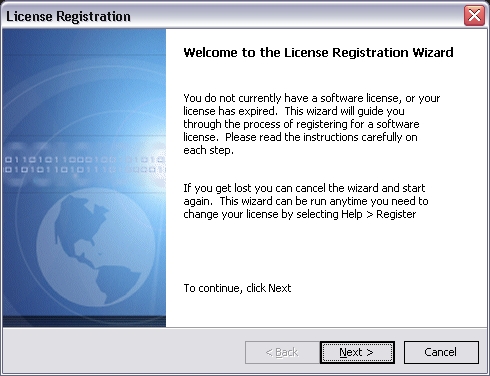
Enter your Flow account details (same details as login to Flow web site). Click
Next. If you do not have an account click the link to register at the Flow web site.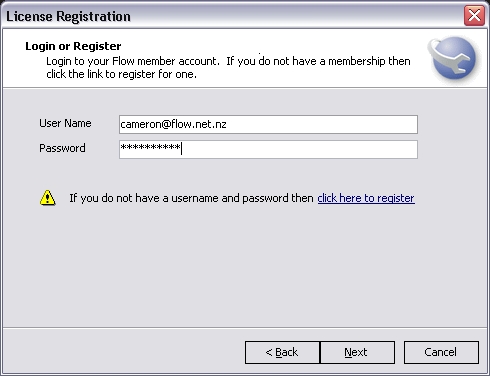
If you do not have a license certificate for your account you will be directed to a web page where you can purchase one. Upon completing the purchase perform the above steps again.
If you have a license certificate the software will attempt to download it and you will be notified of the result. Click
Next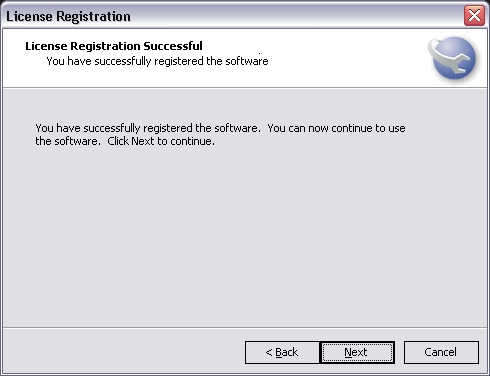
Click
Finishand restart Flow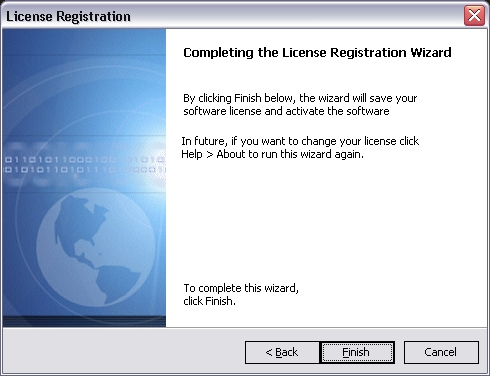
If an error occurs take note of the error message and check the online knowledge base at the Flow web site.
To check the details of your license certificate
TIP
Your software license is linked to your computer. It is not linked to any particular configuration database therefore if you have multiple configuration databases the below steps will still show the same details no matter which one you log into
- Start Flow console and login to any available configuration database
- Click
Help > View Software License Details - The window that is displayed will show your license details
To remove or change your license certificate
TIP
Your software license is linked to your computer. It is not linked to any particular configuration database therefore if you have multiple configuration databases the below steps will still show the same details no matter which one you log into
- Start Flow console and login to any available configuration database
- Click
Help > Remove Software License. AnswerYeswhen prompted - The next time you start Flow you will need to activate a license certificate