
Appearance
Transports Tab
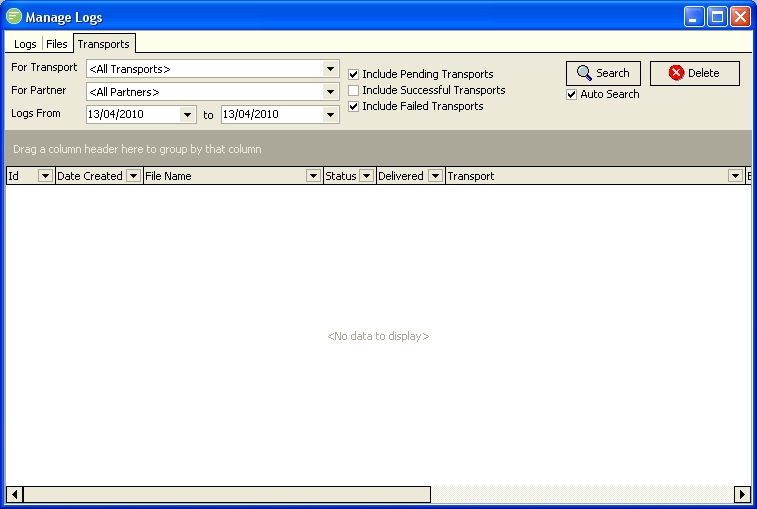
Fields
| Field Name | Description |
|---|---|
| For Transport | Filter the logs to only the ones created for this Transport |
| For Partner | Filter the logs to only the ones created from the execution of an Action for this partner |
| Logs From | Only logs created on or after this date will be displayed |
| Logs To | Only logs created on or prior to this date will be displayed |
| Include Pending Transports | Select to include Logs for transports that have not occurred yet |
| Include Retrying Transports | Select to include Logs for transports that have been attempted but have not yet succeeded and not finished retrying |
| Include Successful Transports | Select to include Logs for Transports that have finished successfully |
| Include Failed Transports | Select to include Logs for Transports that have finished but failed. These Transports will no longer retry. |
| Auto Search | Select to have the filter settings automatically applied whenever one of the above fields is changed. |
| Transports List | Double click an entry to view the Transport Editor |
Buttons
| Button Name | Description |
|---|---|
| Search | Click to apply the current filter settings to the list of Logs |
| Delete | Click to delete the selected Transport Log. You can use Control and Shift keys to select multiple Transport Logs. |